Skip to content
Support Login
    • Scheduling
    • Forecasting and labour planning
    • Time and attendance
    • Payroll and pay rules
    • Leave and absence
    • Employee app and engagement
    • Insights and AI
    • HR
    • Platform and integrations
    Scheduling
    Build, automate and control rotas
    Rota building
    Auto-scheduling
    Skills and tasks
    Rules and compliance
    Flexible staffing
    Explore Scheduling →
    Forecasting and labour planning
    Match staff to demand and budget
    Demand forecasting
    Labour modelling
    Labour budgets
    Explore Forecasting →
    Time and attendance
    Know who worked, when and where
    Clocking in and out
    Timesheets
    Explore Time and attendance →
    Payroll and pay rules
    Turn hours worked into accurate pay
    Pay rules
    Payroll export
    Explore Payroll →
    Leave and absence
    Holiday, sickness and time off in one place
    Holiday requests
    Absence management
    Explore Leave and absence →
    Employee app and engagement
    Everything your people need on their phone
    Mobile app
    Shift swaps
    Explore the employee app →
    Insights and AI
    See what is happening and what to do next
    Reporting
    AI insights
    Explore Insights and AI →
    HR
    HR modules powered by ELMO
    HR powered by ELMO
    Explore HR →
    Platform and integrations
    Connect Rotageek to the rest of your stack
    Integrations
    Public API and webhooks
    Security and access
    Explore the platform →
    Explore the platform
    View all featuresCompare every feature by package Product tourClick through it in five minutes ROI calculatorWhat better scheduling is worth All integrationsPayroll, HR, POS and more
  • By industry
    RetailHospitalityEntertainment and leisureCare homes and hospicesServicesFacilities managementManufacturing
    By business type
    Single-siteMulti-site operatorsMid-marketEnterprise
    Featured Watch a 6-minute demo See Rotageek in action, from forecast to finished rota. Watch the demo →
  • Packages
  • Customers
  • Browse the library
    Resource libraryReports, guides, tools and case studies in one place. BlogPosts on workforce management and scheduling.
    On-demand webinar Ask your workforce data anything: watch Rotageek Insights in action Watch any time · 30 mins · Watch now → On-demand webinar Employment Rights Act webinar: is your rota ready? Watch any time · 45 mins · Watch now →
    Choosing a system
    RFP TemplateEverything to ask a WFM vendor, in one editable doc. Buyer's Guide to Scheduling & WFMWhat to look for before you switch systems. Build Your Business CaseProve the ROI of moving to scheduling software.
    Featured How retailers really build schedules that work Insight from Pets at Home, Screwfix and The White Company. Watch now → Employment law Employment Rights Act 2025: the key changes, date by date What's in force now, what lands in 2027 and what it means for your rota. See the timeline →
  • About us
    About usThe Rotageek story so far.Why RotageekWhy operators choose Rotageek, and how we work with you.PartnersOur partner ecosystem to supercharge your scheduling solution.CareersJoin the Geeks behind the scenes.
    Contact us Get in touch →
Product tour Book a demo
View SchedulingRota buildingAuto-schedulingSkills and tasksRules and complianceFlexible staffing
View ForecastingDemand forecastingLabour modellingLabour budgets
View Time and attendanceClocking in and outTimesheets
View PayrollPay rulesPayroll export
View Leave and absenceHoliday requestsAbsence management
View the employee appMobile appShift swaps
View Insights and AIReportingAI insights
View HRHR powered by ELMO
View the platformIntegrationsPublic API and webhooksSecurity and access
View all features →
By industry
RetailHospitalityEntertainment and leisureCare homes and hospicesServicesFacilities managementManufacturing
By business type
Single-siteMulti-site operatorsMid-marketEnterpriseWatch a 6-minute demo →
Packages
Customers
Resource libraryBlogRFP TemplateBuyer's Guide to Scheduling & WFMBuild Your Business CaseEmployment law
About usWhy RotageekPartnersCareersContact us
Product tour Book a demo
Free guide

The ultimate guide to workforce management and employee scheduling

Workforce management decides whether the right people are in the right place when customers turn up. This guide covers what it is, what it fixes, what to look for in workforce management software, where AI genuinely helps, and how to build the business case.

Updated 16 November 2026
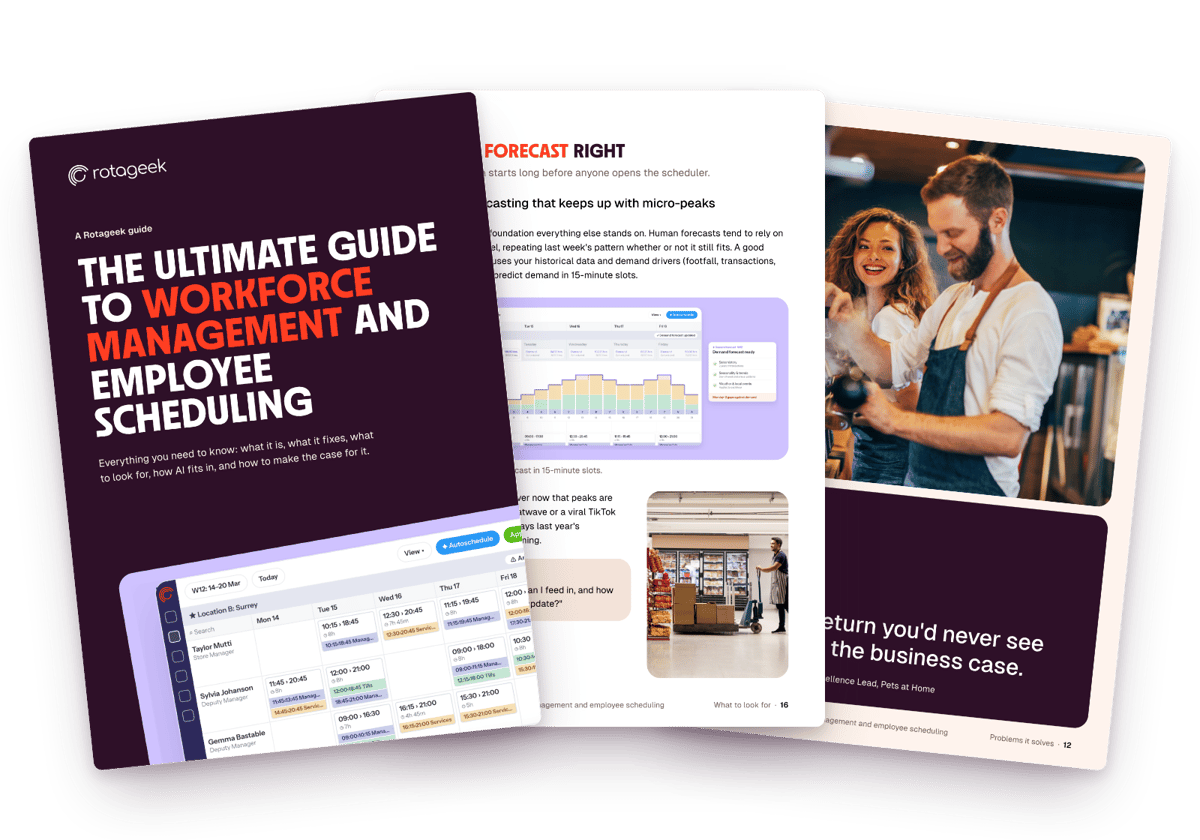
Cover and inside pages of The Ultimate Guide to Workforce Management and Employee Scheduling by Rotageek

Download the guide

Read the highlights below, or download the full 48-page guide with customer stories from Pets at Home, Screwfix, Lush, Fortnum & Mason and West Lothian Council.

Required

Required

Required

Required

Enter a valid phone number.

Required

By submitting your details to Rotageek you are showing interest in our product and so we may contact you from time to time about our product and services. You may unsubscribe from these communications at any time. Please review our Privacy Policy for information on how to unsubscribe and our privacy practices.

What is workforce management (WFM)?

Workforce management (WFM) is how an organisation plans, schedules and tracks its people, so the right number of colleagues with the right skills are working at the right time. For shift-based teams, it covers demand forecasting, labour modelling, rota scheduling, time and attendance, leave and absence, and reporting, connected to HR and payroll.

What does workforce management include?

The rota is the part everyone sees, but workforce management is a loop. You predict demand, turn it into a labour plan, build the rota, run the day, then learn from what happened. Most workforce management platforms for shift-based teams cover:

  • Demand forecasting

    Predicting how busy you'll be, in 15-minute slots, from sales, footfall, weather and events.

  • Labour modelling and budgets

    Turning that demand into the number of people and skills you need, and what it costs.

  • Rota scheduling

    Building the rota around availability, skills, contracts and working time rules, often with auto-scheduling.

  • Time and attendance

    Who clocked in, when, and whether the timesheet matches the rota.

  • Leave and absence

    Holiday, sickness and everything in between, flowing straight into the rota.

  • Employee self-service

    Shifts, swaps, open shifts and holiday requests on a mobile app.

  • Reporting and insights

    What's working, what isn't, and what to fix next week.

  • Plug all that into payroll and HR, and the humble rota becomes the engine room of your operation.

Workforce management vs HCM vs time and attendance

The market is full of overlapping labels. Most systems fall into one of three camps.

  • HCM (human capital management)

    What it does
    HR's central system: recruitment, payroll, training, benefits, performance
    Where it falls short
    Scheduling is basic, if it's there at all. Long, costly rollouts
  • Time and attendance

    What it does
    Tracks clock-ins, approvals and hours worked, ready for payroll
    Where it falls short
    Doesn't build the rota
  • Specialist workforce management

    What it does
    Goes deep on forecasting, scheduling and frontline engagement for shift-based teams
    Where it falls short
    Sits alongside your HCM and payroll rather than replacing them
  • Rotageek is a specialist. We do scheduling properly and connect to the systems that do the rest.

What problems does workforce management software solve?

Scheduling looks simple from the outside. Then you try to balance footfall, budgets, skills, contracts, holidays and the colleague who can't do Thursdays because of five-a-side. These are the five problems we hear about most.

  • 01

    Spreadsheets that can't keep up

    Different templates, different versions, shifts shared by screenshot and WhatsApp. Every copy-and-paste is a fresh chance for a double-booked shift or a missed break. Oseyo, the UK's largest Asian supermarket retailer, outgrew its spreadsheets as the estate grew and now runs one version of the rota across all 20 stores.

  • 02

    Managers stuck behind a screen

    Your store and site managers are usually your most experienced people. Every hour on the rota is an hour off the floor. At Screwfix, branch managers now spend less time managing the rota and more time serving customers.

  • 03

    Unfair rotas and working time risk

    Lean on the same few people to cover every gap and you get burnout, illegal overtime and resignations. Pets at Home caps how many night shifts a colleague can work in a week and blocks it in the system, so the rule protects people automatically.

  • 04

    Multi-site, multi-skill complexity

    Different sites trade differently, and colleagues work across roles and locations. Get it wrong and you pay twice: overstaffed when it's quiet, understaffed when it's busy. Nando's schedules 19,000 employees across its restaurants with Rotageek.

  • 05

    Inflexible rotas that push people out

    In Talking Shop 2026, our research with Retail Week among 500 UK frontline retail staff, 71% described scheduling in their store as reactive. Self-service lets colleagues see shifts weeks ahead, swap them and book holiday from their phone.

What to look for in workforce management software

Here's the short version of the checklist, grouped the way the work flows.

  • Plan: forecasting and labour modelling

    A good forecast uses your history and demand drivers to predict demand in 15-minute slots, so it can keep up with payday weekends, heatwaves and local events. Labour modelling turns that forecast into headcount and lets you test "what if" scenarios before you commit.

    Ask: Which demand drivers can I feed in, and how often does the forecast update?

  • Schedule: auto-scheduling, skills and working time rules

    Auto-scheduling builds a first draft of the rota that matches demand while respecting availability, skills, contracts and your rules. Most customers call it assisted scheduling, because managers review and adjust it. Around 60% of Pets at Home stores now start each week from an auto-built rota.

    Ask: Can managers adjust the auto-built rota, and can the system stop shifts going to people who aren't trained or cleared for them?

  • Run: the app, time and attendance, leave

    For deskless teams, the app is the workplace. Over 90% of Screwfix colleagues installed the Rotageek app on their own phones, and more than 99% of Oseyo clock-ins happen through it. Clocking, timesheets and leave should sit in the same platform as the rota, so payroll gets accurate hours first time.

    Ask: Can colleagues swap shifts, pick up open shifts and book leave themselves, with managers keeping the final say?

  • Optimise: insights you can act on

    Look for live budget-versus-scheduled views and forecast-versus-actual reports. Rotageek Insights and AI lets managers ask questions in plain language, such as "Which stores went over budget last week?", without waiting on a BI team.

    Ask: Can managers get answers to their own questions?

  • Foundations: usability, integrations and security

    If managers don't like using it, they won't. Check integrations with your HCM, payroll and data tools before you sign, and ask for security certificates. Rotageek is ISO 27001, ISO 9001, Cyber Essentials and ISO/IEC 42001 certified, and GDPR compliant.

For the full feature list, see must-have workforce management software features →

AI in workforce management

Most workforce leaders already use AI. Far fewer trust it with the big decisions. For our AI Maturity Gap research with Opinium, we surveyed 400 senior workforce leaders at UK organisations with more than 500 employees.

  • 86% already use AI in workforce management.
  • 17% say AI is central to workforce decisions.
  • 66% say the biggest challenge is people, not technology.

Where AI helps today: forecasting demand, drafting the rota, and answering questions about labour data. Where it still needs people: the final call. The best tools keep your rules as hard limits, show their working, and leave managers in charge.

Read the AI Maturity Gap report
Insights · Ask anythingAI
Which stores went over labour budget last week?
3 of 42 stores were over. Manchester Arndale was highest, driven by Saturday overtime.
Manchester Arndale+6.2%
York Coppergate+3.1%
Leeds Briggate+1.4%
Suggested: move 2 Saturday shifts to open pool →

How to choose a workforce management vendor

You're choosing a partner for years, not buying a product once. Look at four things beyond the demo:

  1. Partnership: will they help you bring managers and colleagues with you?
  2. Implementation: is the plan agreed before you sign? Oseyo had its first store live 4.5 weeks after kick-off and all 20 stores live by week 12.5.
  3. Proof: can they show customers in your sector, and let you speak to them?
  4. Support: is top-tier support standard, or an upsell? At Rotageek, every customer gets it as standard.

Grab our RFP template and Buyer's Guide to compare vendors side by side.

Rule check · Week 40COMPLIANCE
3 issues fixed before publishing
!
Rest period under 11 hoursBen C. · Thu close to Fri open
Fixed
!
Young worker over 8 hoursChloe E. · Saturday
Fixed
!
Contract hours exceededDev P. · 42h vs 37.5h
Fixed
✓
Breaks scheduled for all shifts184 shifts checked
Pass

Already have a system? Signs it's time to switch

Most businesses aren't starting from scratch. The question is whether the system you've got is up to the job. Two or more of these, and it's making your managers work for it:

  • Managers export the rota to Excel to fix it.
  • Scheduling is a basic add-on inside your HR or payroll suite.
  • The forecast can't keep up with busy spells, so nobody trusts it.
  • Colleagues don't use the app.
  • Every configuration change is a ticket and a long wait.
  • You only find out you've overspent on labour at month-end.

Switching is easier than it sounds. Your data comes with you, you keep the HCM and payroll that work, and you can go at your own pace.

West Lothian Council piloted one unit first. Pets at Home rolled auto-scheduling out store by store.

Customer demand Labour allocated Mismatch
Manual rota8:0010:0012:0014:0016:0018:0020:00Hour of dayAutomatic rota8:0010:0012:0014:0016:0018:0020:00Hour of dayDemand / staffing level

Illustrative example: labour allocated (scarlet) against customer demand (black). A manual rota lags behind real demand; an automatic rota tracks it far more closely.

How to build the business case for workforce management software

Start with the hours your managers lose to rota admin. Then add labour cost, overtime and sales at your busiest times.

Rotageek customers report up to 10% saving on labour costs and up to 3% saving on overtime each week. Individual results vary.

Better scheduling isn't only about cutting hours. When labour matches demand, there are more hands at the peaks: shorter queues, fuller shelves and fewer lost sales. At Lush's Birmingham flagship, a 16% productivity increase added £83K in sales in a single month.

Build your business case or book a free Scheduling Impact Analysis to model the numbers for your business.

Planned labour cost · this week
£48,210
of £49,500 budget
On budget
£5.4k
£5.8k
£6.1k
£6.9k
£8.2k
£9.6k
£6.2k
MonTueWedThuFriSatSun
% cost of sales
11.4%
Sales per labour hour
£92
Variance
−£1,290

Workforce management in numbers

  • 71% UK frontline retail staff who describe scheduling in their store as reactive
  • £83K Extra sales in a single month at Lush's Birmingham flagship, from a 16% productivity increase
  • 17% Leaders who say AI is central to workforce decisions
  • 10 mins For Pets at Home managers to build a rota, across 460+ stores
  • 1 week Of rota-creation time saved every month at Merlin Entertainments
  • 85,000+ Gap shifts filled through Rotageek at Pets at Home
  • 900+ Screwfix stores rolled out in roughly seven months
  • 99.8% Of clock-ins at West Lothian Council happen through the app

Sources: Talking Shop 2026, Rotageek with Retail Week, 500 UK frontline retail staff (71%); The AI Maturity Gap, Rotageek and Opinium, 400 senior UK workforce leaders (17%); Lush, Pets at Home, Merlin Entertainments, Screwfix and West Lothian Council case studies.

What our customers say

See all customer stories
Oseyo “
When we were a handful of stores, spreadsheets did the job. But as Oseyo grew, they just couldn't keep up. We needed real oversight of what was happening store to store, not files being passed around.

Isaac KweonOperations Director, Oseyo
Screwfix
“Our branch managers are doing less time managing and more time serving customers, putting stock away, all the things that only a person can really do.”

Ben RodfordResource Planning and MI Manager, Screwfix
Sephora
“Thanks to Rotageek, planning the right number of people with the right skills and at the right time is no longer complicated and time-consuming.”
Sephora Middle East

Trusted by ops teams managing thousands of shifts every week

  • Screwfix
  • Hotel Chocolat
  • Hugo Boss
  • Poundland
  • The White Company
  • Our Coop
  • Truworths
  • Toolstation
  • Office
  • The Entertainer
  • William Hill
  • Caffe Nero
  • Pets at Home
  • Lush
  • Dune London
  • Sephora
  • Charlotte Tilbury
  • Lakeland
  • Screwfix
  • Hotel Chocolat
  • Hugo Boss
  • Poundland
  • The White Company
  • Our Coop
  • Truworths
  • Toolstation
  • Office
  • The Entertainer
  • William Hill
  • Caffe Nero
  • Pets at Home
  • Lush
  • Dune London
  • Sephora
  • Charlotte Tilbury
  • Lakeland

Workforce management FAQs

Workforce management (WFM) is how an organisation plans, schedules and tracks its people, so the right number of colleagues with the right skills are working at the right time. For shift-based teams, it covers demand forecasting, labour modelling, rota scheduling, time and attendance, leave and absence, and reporting, connected to HR and payroll.

Employee scheduling is one part of workforce management: building and running the rota. Workforce management is the loop around it, from forecasting demand and setting a labour plan to clocked hours, approved timesheets and payroll. Good scheduling software sits in the middle and connects the rest.

Most platforms cover demand forecasting, labour modelling and budgets, rota scheduling (often with auto-scheduling), time and attendance, leave and absence, and reporting. An employee app lets colleagues see shifts, swap them and book holiday from their phone. Integrations send approved hours to payroll and HR.

HCM suites are usually owned by HR and cover recruitment, payroll, training and performance, with basic scheduling at most. Time and attendance tracks who clocked in and out, but doesn't build the rota. Specialist workforce management platforms go deep on forecasting and scheduling for shift-based teams, and connect to the HCM and payroll you already use.

Workforce planning looks months or years ahead at how many people, with which skills, the business will need. Workforce management is the week-to-week work of putting those people on the right shifts, from forecasting demand and building the rota to tracking hours and absence.

AI is mostly used to forecast demand, draft a first version of the rota and answer questions about labour data. In Rotageek research with Opinium, 86% of 400 senior UK workforce leaders said they already use AI in workforce management, but only 17% said it's central to workforce decisions. Managers should always review and own the final rota.

Yes, when it matches labour to demand. Customers don't arrive evenly, so more colleagues at the peaks means shorter queues and fewer lost sales, and fewer idle hours when it's quiet. At Lush's Birmingham flagship, a 16% productivity increase added £83K in sales in a single month.

Rotageek customers report up to 10% saving on labour costs and up to 3% on overtime each week. Results vary by business, so size it with your own data. Our free Scheduling Impact Analysis models your labour waste and peak coverage gaps in a 15-minute call.

It depends on the number of sites and integrations, so agree the plan before you sign. As an example, Oseyo had its first store live 4.5 weeks after kick-off and all 20 stores live by week 12.5.

Common signs are managers exporting the rota to Excel to fix it, a forecast nobody trusts, colleagues ignoring the app, and labour overspend you only find at month-end. Two or more usually means the system is making managers work for it.

It should let you build working time limits, rest breaks, under-18 rules and contracted hours into the rota, flag risks before it's published, and keep a record of planned and worked hours. Recent UK reforms put more focus on predictable hours and notice of shifts, so ask how a vendor keeps its rules up to date.

Watch the webinar Employment Rights Act: is your rota ready?

Keep reading

  • Must-have workforce management software features →
  • Buyer's Guide to Scheduling and WFM →
  • Scheduling and workforce management RFP template →
  • How to build a business case for employee scheduling software →
  • How retailers really build schedules that work →

See workforce management in action

Forecast to finished rota, in one platform built for shift-based teams.

Book a demoTake the product tour
Download the guide →
Rotageek

Rota Geek Limited is a company registered in England and Wales with the company number 06783810 and registered address of Unit 6 & 7, Foundry Court, Foundry Lane, Horsham, West Sussex, England, RH13 5PY

Download on the App Store Get it on Google Play
PLATFORM ForecastingLabour ModellingSchedulingAI Insights
COMPANY AboutCareersPartner ecosystemContact
© 2026 Rotageek Ltd PrivacyCookies